
Your commute, ready
before you drive.
Queue podcasts, news, and anything you want read aloud while you are parked. Then put your phone down and drive. Every phone-down mile earns credit toward something worth keeping. A focus session at your desk, linked to whichever daily activity you are working on, earns that same credit, so the days you barely drive still count.

Free to start. Undivided Plus is $4.99 a month or $29.99 a year. A Family plan at $9.99 a month or $59.99 a year covers everyone in your Apple Family Sharing group.
New See how it works Tracking your miles just got easy. Every drive the app records adds up on its own. Pick any week, month or year and share it as a PDF, a spreadsheet, or plain text. No saved routes, GPS points, coordinates, destinations, or addresses. Just the drive summary.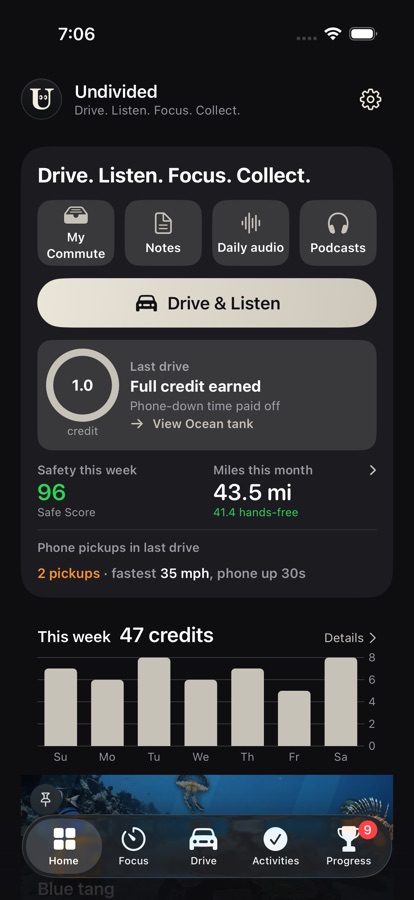
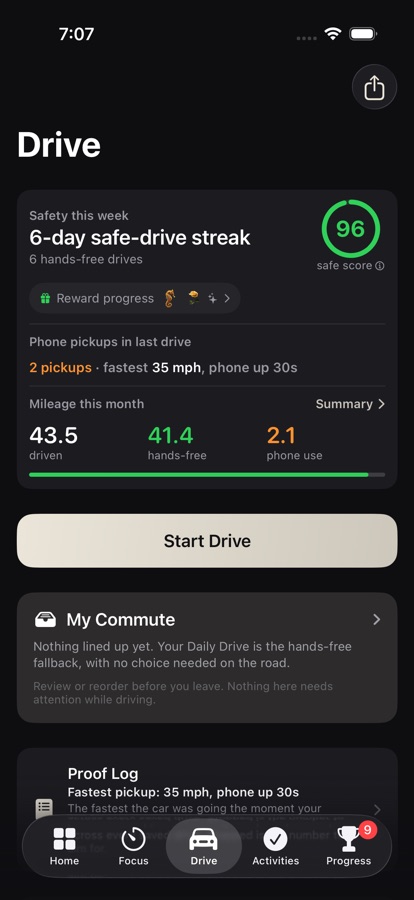
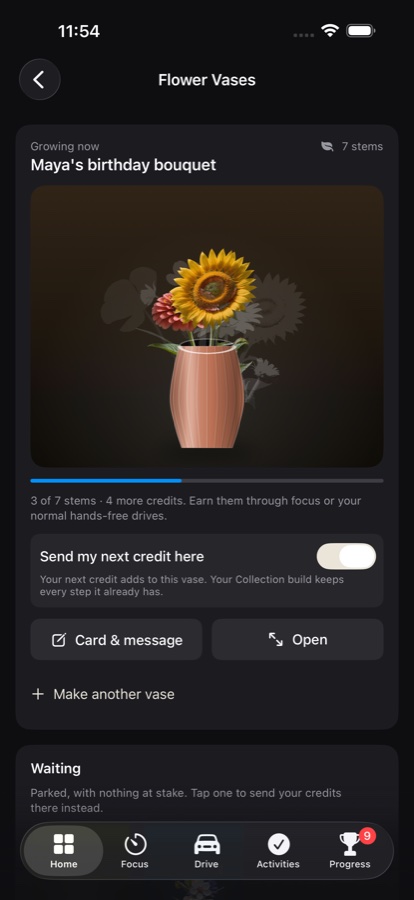
Three steps, and only the first one wants your hands.
Already listening to something else? Keep it. The drive still counts.
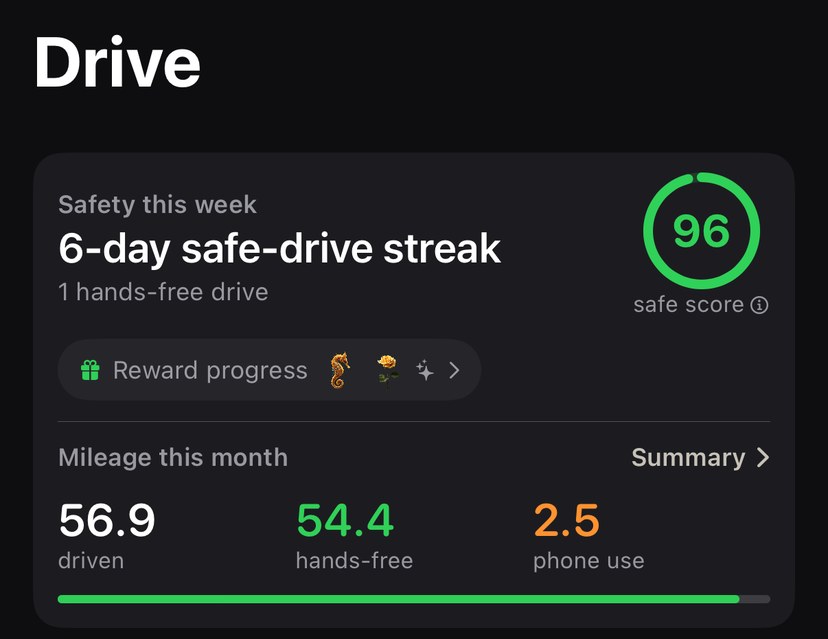
The miles, for when someone asks.
Undivided already keeps a summary of every drive it sees. Pick a week, a month, a quarter or a year, and it becomes something you can hand over: the distance, how much of it was phone-down, and an editable Driver or Passenger label. Share it as a page, a spreadsheet, or plain text.
Every drive that recorded distance is listed, and the count of drives it thinks it may have slept through is printed right beside the totals, so the summary never claims to be more complete than it is.
Each drive also records how fast the car was going the moment the phone came up. It is a measurement, not a judgement: no top speed is kept, nothing about how fast you drive generally is recorded, and the app never decides who was holding the phone or whether a law was broken. Speed stays on your phone, is left out of the account backup, and is included in a shared summary only while you leave Include speed detail switched on.
Why that one number and not top speed: at 45 mph a three-second glance at a screen covers about 200 feet, roughly two-thirds of a football field, with nobody watching the road. The car does not pause while you read. So the app records the speed at the moment the phone came up, and the number to aim for is stopped.
No route history is stored. Location is used while a drive is active to calculate distance and speed. Undivided saves the drive summary (date, start time, minutes, miles, role, automatic start, phone pickups, hands-free miles, and the speed at each pickup), not GPS points, coordinates, destinations, addresses, or the route between them.
What the drive summary is not
The figures are estimated from Apple Core Location readings captured while a drive session is active. Location gaps, GPS drift, and late or missed detection can make mileage higher or lower than the odometer, so a summary is not guaranteed complete or exact and should not be your only mileage record.
Driver and Passenger are editable labels. The app cannot independently sense or verify who was behind the wheel.
Speed is not a safety assessment. Undivided reports how fast the car was moving when the phone was picked up. It does not determine who was holding the phone, who was driving, or whether any law was broken, and it applies no safety threshold of its own. You can set your own mark if you want one.
Nothing in Undivided is tax, legal, or accounting advice, and no summary it produces is offered as fit for tax, reimbursement, or legal purposes. Talk to a qualified professional before relying on these records. The same wording appears at the top of every summary the app exports, and in the terms of use.
The drive you already make, worth something.
An iPhone app, with CarPlay support. It works on any drive, and there is nothing to install in the car.
What Undivided does not do
Undivided is not a safety system, and on the road it enforces nothing. It does not block or restrict anything while you drive, it cannot stop you using your phone, and it does not try to. The quiet screen covers Undivided and nothing else: calls, Maps, and emergency services stay fully available by design, so nobody is ever stuck.
It also cannot see which apps you opened or whether your screen came on. iOS gives no third-party app that signal. So the strongest thing a finished drive can tell you is this: your phone stayed locked and this app stayed closed while the car was moving. That is the whole claim, and there is no bigger one anywhere in the app.
Drive detection and hands-free credit are computed on your phone. Raw location and motion never leave it. See the privacy policy.
There is more, once you are in
Scores, streaks, things you grow and send, and the exact rules behind every credit. None of it is needed to start.
Queue tonight's drive before you leave.
Built by a small team that drives this commute too. Why we built it.
Need help?
Questions, bugs, billing, or account requests: send us a ticket on the support page and we will get back to you by email.